
Does Calendly support file uploads? No. 3 workarounds
Calendly has no file upload question. See 3 ways to collect files with a booking, which tools take files, their limits, and what not to collect.
No. Calendly has no file upload question. Invitees cannot attach a file on the booking page. A Calendly staff reply from 2023 says: "At this time there is no way to allow attachments on the booking page." Its pricing page and forms article showed no upload option on Nov 4, 2026. You have 3 ways around it.
3 ways to collect a file
| Option | How | Catch |
|---|---|---|
| Redirect to a form | Send invitees to a form after booking | They can skip the form |
| Ask by email | A Workflow email asks for the file | You match files by hand |
| Change tool | Use a tool with an upload question | You leave Calendly |
Calendly staff suggest the first two in the same thread. We did not test them in a Calendly account.
Scheduling tools that take files
| Tool | File upload | Limit | Cost |
|---|---|---|---|
| zcal | Yes, Pro | Not listed | $84 |
| Sprintful | Yes, all plans | 10 MB | $90 |
| Acuity | Yes, all plans | 5 MB | $192 |
| Calendly | No | - | - |
Cost per user a year on the lowest plan with file upload, billed yearly. Acuity's cost is for the account. Sources: zcal, Acuity, Sprintful.
Sprintful takes 1 file per question. Koalendar also says it takes files, with no limit listed. We found no upload type in the docs of Cal.com, SavvyCal, YouCanBookMe, TidyCal, Zoho Bookings or Microsoft Bookings, read on Oct 23, 2026.
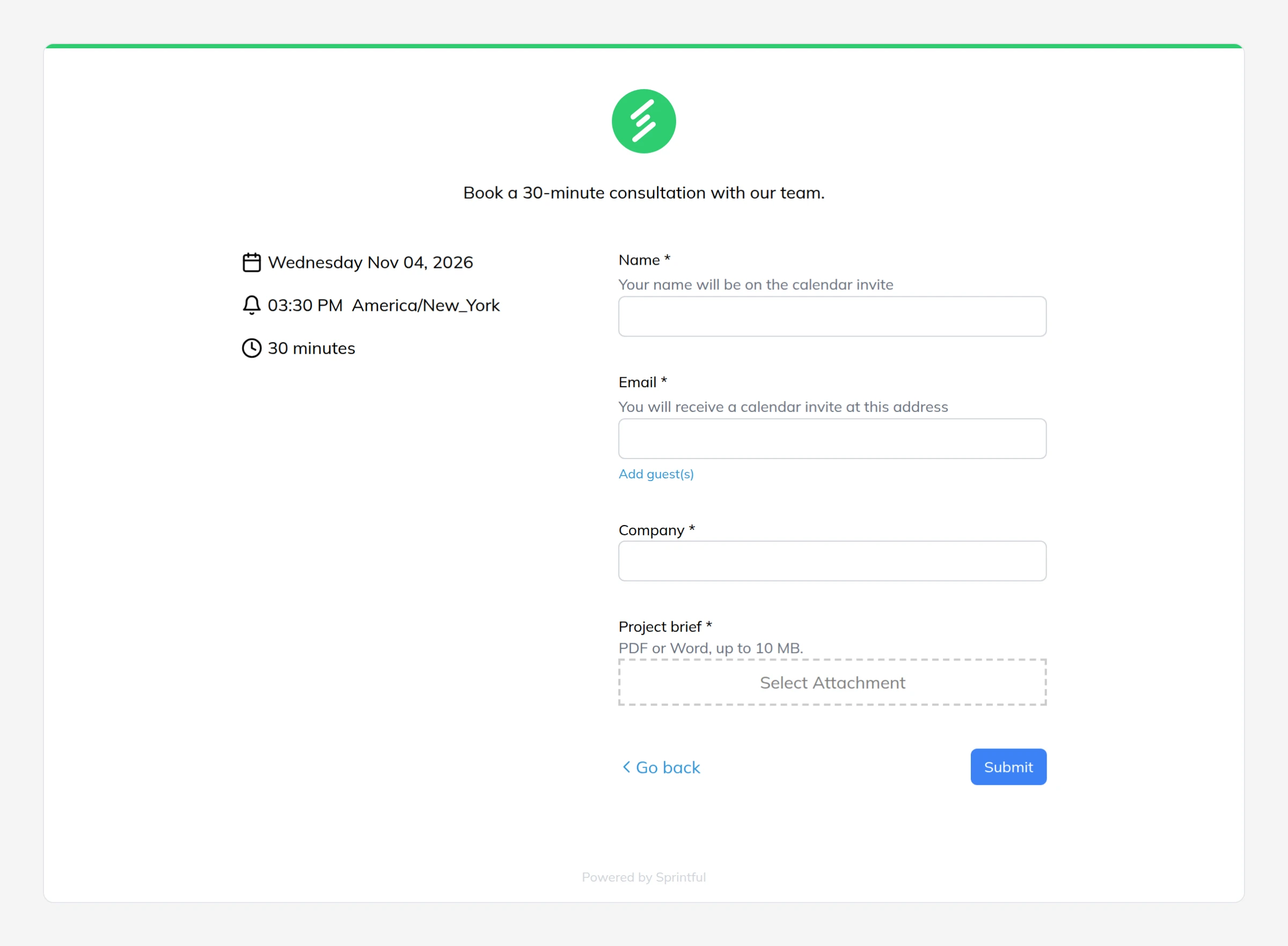
Files that suit a booking form
- A project brief before a consulting call.
- A portfolio or a work sample before a review.
- A screenshot or a log before a support session.
- A drawing before a quote.
Sprintful keeps each file private. The host opens it through a private link, and each download link stops working after 5 minutes.
File upload in Sprintful
- Open Pages, select your booking page and open Booking form.
- Add a question and set the type to Attachment.
- Write a label and a hint, and make it required if you need the file.
- Select Save and test the page on your phone.
Each Attachment question takes one file of up to 10 MB. The file stays with the booking answers, so you do not match it by hand.
Common questions
Can I use Microsoft Forms for this?
Only inside your company. Microsoft Forms accepts files only from people in your organization.
Can I embed Calendly in a form?
Yes, you can embed Calendly on a page with a Jotform or a similar form. The form and the booking stay separate records.
When is Calendly still right?
When a file is a small part of your process, and a follow-up email is enough. See what Calendly costs and Calendly alternatives for teams.
Related comparisons
 Compare
Calendly pricing 2026: plans and cost by team size
Compare
8 Calendly alternatives for teams in 2026, by cost
Compare